
Check unlocks before comparing your menu
If your preferred dish is missing from the recipe collection, check its recorded task or venue requirement in the recipe unlock planner before buying ingredients. Come back here to compare the menu after checking what your save actually has available.
The best Nivalis Nights menu is the one your current venue can prepare, keep stocked and sell to its customers. Use the planner below to compare recipes, identify shared ingredients and create one combined shopping list. Enter quantities and prices from your own game when calculating a purchase plan.
Community price caps, ingredient costs and satisfaction scores remain source estimates. They help compare recorded dishes, but your actual selling prices, quantities, service and expenses decide your venue's result. Unknown quantities stay visible until you supply them.
Update 5 and October 16: recheck supply and service periods
Official Update #5, checked October 17, lets each venue's managers use greenhouse stock before buying ingredients. Enable Use Greenhouse Stock, then inspect greenhouse storage before treating a grown input as a purchase requirement. Keep quest-reserved or unavailable stock out of the planner's Already owned field.
The October 16 patch restores NPC hunger every six game hours and warns of a strong morning rush. Compare similar current service periods rather than extrapolating an old day’s sales. Update #5 also changes owner ranking to use the last seven days of venue income and gives venue tier, popularity and income equal weight. Recipe ingredient margin is therefore neither net venue profit nor a direct owner-ranking score.
The linked recipe, cost and district records retain their own earlier collection dates. These official rule updates do not validate every saved estimate against the new build.
Build a menu and combine the shopping list
Need a specific record? Open the recipe index, ingredient index or vendor index before building your menu.
Select dishes you have discovered, check their appliances and enter the portions you intend to plan. For an unknown per-serving amount, read the current recipe screen and add that figure. Then enter usable stock in Already owned; the planner deducts it once. Check the timing of any incoming delivery separately before adjusting the purchase totals.
A shared ingredient is counted across all the selected dishes. That lets you see which additions fit your existing supplies and which create a new purchasing requirement. Use the linked ingredient records to find sellers; inspect the current vendor offer before buying.
Choose one matching stock unit for each ingredient. Its per-serving quantity, owned stock and unit price must all use that unit. The planner does not convert grams into kilograms or items into packages. Leave a quantity blank when you have not established it.
Use Save menu after editing to keep the selection and inputs in this browser. Export menu downloads a copy of your plan; Clear menu and saved inputs removes your selection and stored copy. A saved menu belongs to this site and data version.
Choose dishes in a practical order
Swipe horizontally to see all columns.
| Priority | Question | Decision |
|---|---|---|
| Recipe access | Does your save know the dish? | Complete the recorded unlock before treating it as a menu option |
| Equipment | Does this venue have the required processors? | Choose an available dish or account for the appliance purchase |
| Menu capacity | How many dishes can this venue currently assign? | Stay within its displayed capacity; an upgrade gives more options without requiring every slot to be filled |
| Customer fit | Which food tags does the venue's demographic panel favor? | Compare compatible recipes using the current district information |
| Supply | Can you buy, grow or catch every input? | Confirm an acquisition route before relying on Manager restocking |
| Ingredient overlap | Does the dish reuse ingredients in the existing menu? | Combine the amounts in the planner and inspect the new shopping burden |
| Costs and waste | What will the venue spend and fail to use? | Test the menu over comparable service periods |
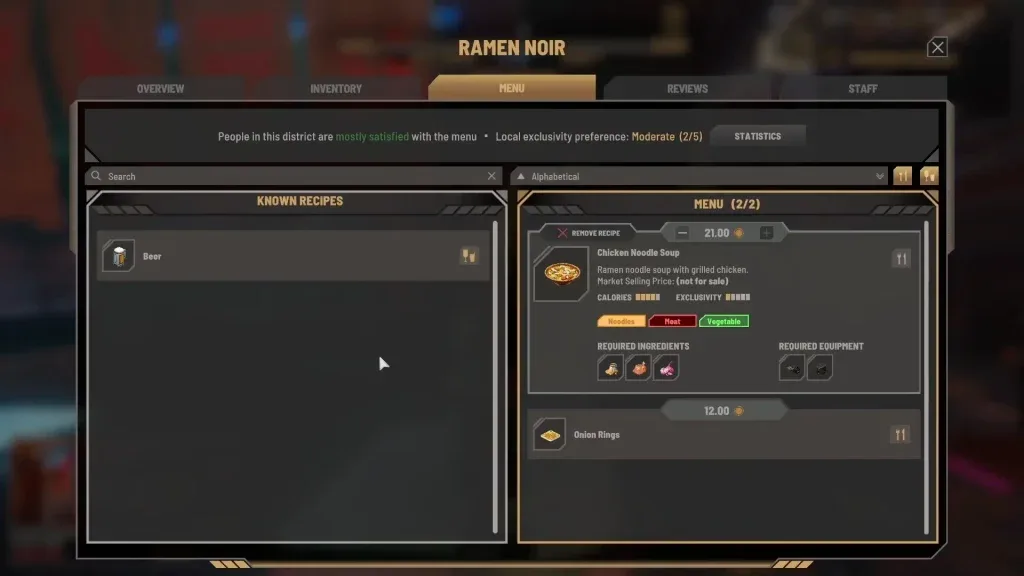
Read the venue's current preference panel before copying a menu designed for another district. Workers, hipsters and elites can favor different dish traits. Source-recorded location preferences are a reference; the current venue screen tells you what your own business displays.
Match the menu to the kitchen you have
Open a selected recipe and inspect its required equipment. A dish needing a pan, grill, cooker, blender or drink machine adds a physical requirement even if the ingredients are already in storage. Use the recipe database's appliance filter to narrow choices to the equipment available at this venue.
After adding a dish, inspect the menu's red missing-input icon. Official Update #4 lets you expand that warning to see missing ingredients or processors. This is a direct check on service readiness and can save an unnecessary food purchase when the actual problem is a missing machine.
The planner keeps the recorded original ingredient names. You can edit their per-serving amounts, prices and stock; it cannot replace an ingredient with another item. If you changed an ingredient in the game, check that customized recipe's Shopping List separately. Your customization applies to owned or rented venues after Update #4; other businesses retain their original recipes.
Favor useful ingredient overlap
Start with a dish the venue can already serve, then compare additions that reuse its inputs. Open the recipe database and search an ingredient you have available. Review the candidate's remaining ingredients and appliances before accepting it.
A dish sharing one ingredient can still introduce several new ones. The combined list makes that trade visible. For each addition, ask how many separate vendors, storage types and acquisition routes it creates. A menu built from available inputs can be easier to supply than one consisting only of individually attractive dishes.
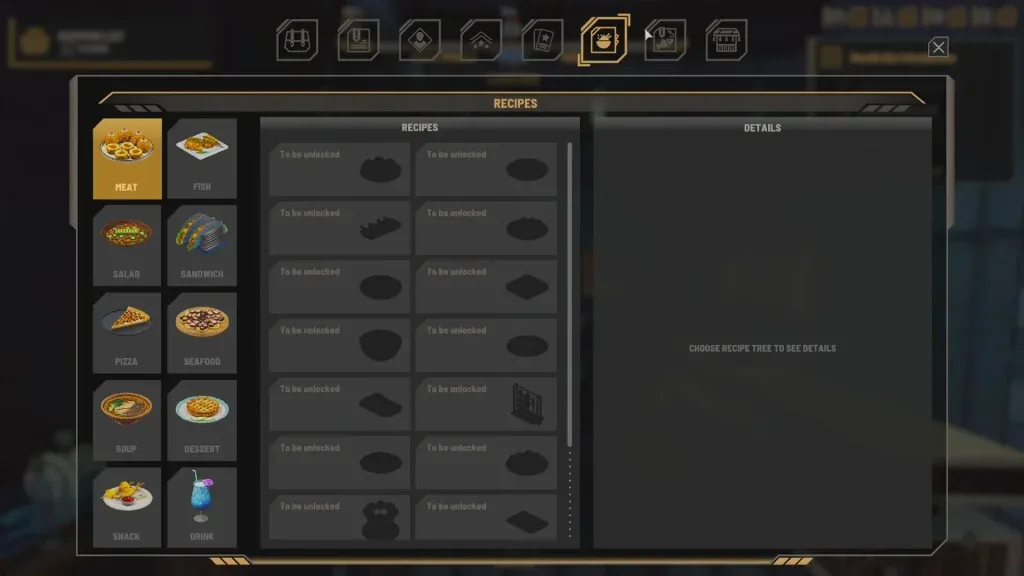
Food-category tags help compare customer fit, but a tag is not a complete ingredient list. A meat dish can use different meat or processing requirements from another meat dish. Read the actual ingredient rows before assuming that the same stock serves both.
Enter realistic portions, quantities and stock
The planner calculates the menu you enter. Planned portions are your scenario, not a prediction that the venue will sell that number of meals. Start with an observed service period or another amount you want to test, then review actual sales afterward.
Per-serving amounts must come from the recipe in your save when the source does not publish them. An unknown amount should remain unknown until that step is complete. A missing number is not one unit and cannot safely support a purchasing total.
Deduct only usable stock. Spoiled food, an ingredient reserved for a quest, or stock held at another venue may not be available for this menu. Incoming Manager deliveries are separate from items already on the shelf. Check their arrival before manually adjusting your purchasing plan, and enter only stock already available to this menu in Already owned.
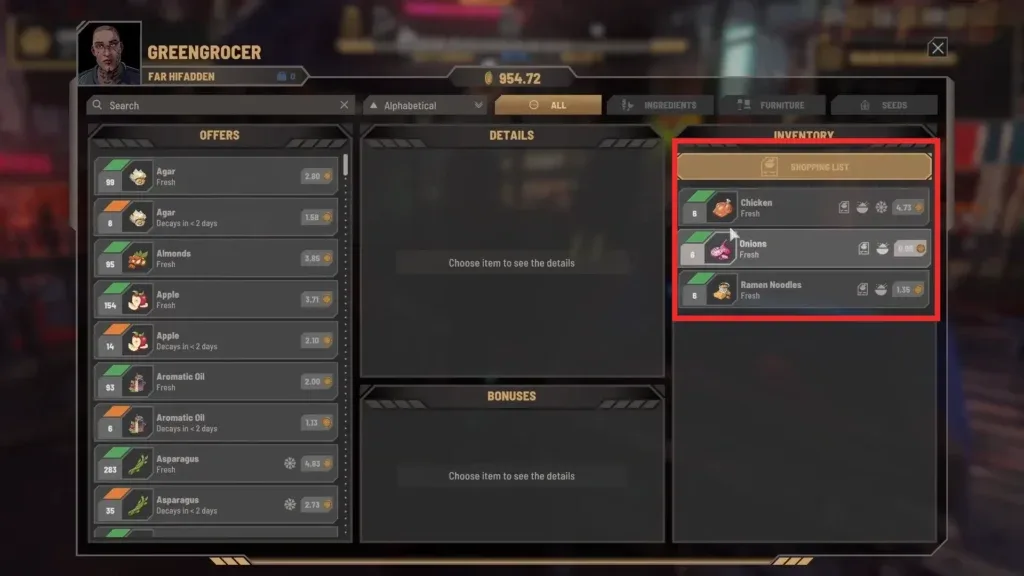
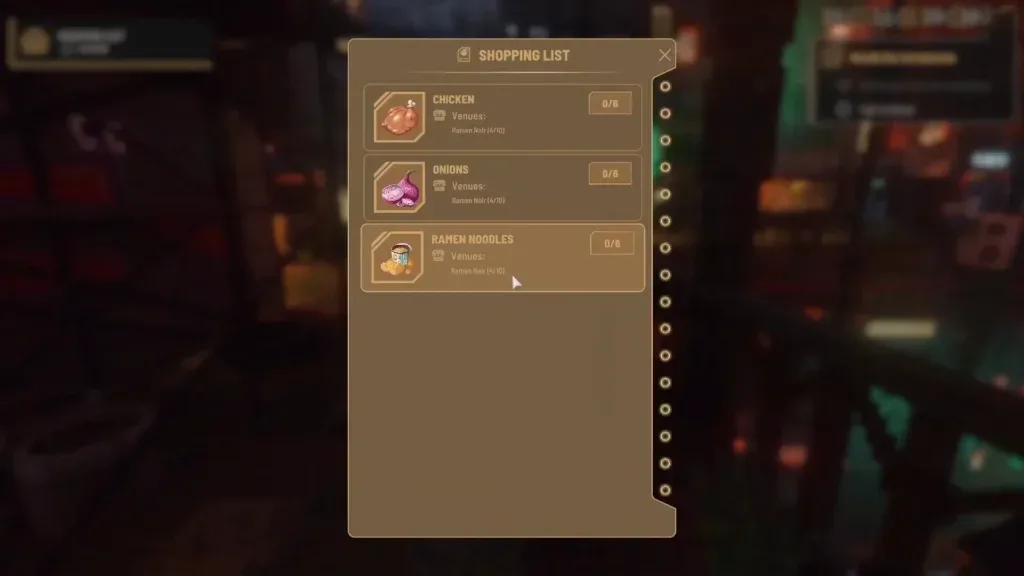
The resulting purchase list can be grouped through ingredient and vendor links. Compare it with the live Shopping List before departure, because serving customers or changing a recipe can alter the shortage while you plan.
The two lists start from different inputs. This planner starts with the portions and recipe requirements you enter. The game's Shopping List displays the remaining shortage against the venue target. Do not deduct the same stored ingredients again from that displayed shortage, or copy it into a per-serving quantity field.
Separate ingredient margin from venue profit
For a current cost estimate, enter the price offered by the seller you intend to use. A community average can be useful for an early comparison, while a live offer better represents the current purchase. Include actual serving quantities when calculating the ingredient cost of a dish.
Swipe horizontally to see all columns.
| Measure | What belongs in it |
|---|---|
| Purchase cost | Missing ingredient quantities multiplied by your observed buy prices |
| Ingredient margin | Meal revenue minus its ingredient cost |
| Venue profit | Revenue minus ingredients, wages, rent and other operating expenses |
| Expansion cost | New equipment, acquisition costs and other one-time spending |
| Waste | Purchased or harvested stock that becomes unusable before service |
A recipe's source-estimated profit-at-cap is a reference calculation. It does not incorporate every cost or guarantee that you can set that price and sell the planned portions. To compare menus, record the same expense categories over similar operating periods.
Set stock targets and budget for the venue
Update #4 adds Lean 2, Normal 5, Extra 10 and Recent Sales supply targets, plus a daily restocking budget for each venue. Recent Sales uses the last four in-game hours with a minimum of two. Those native targets are different from your planner's chosen portions.
Use the plan to understand which inputs your menu depends on. Then check the venue's actual replenishment settings and make sure its budget can support the purchases you intend. A budget limit can stop buying even when the menu still needs an ingredient.
Official notes also warn about dishes requiring ingredients that vendors cannot supply. Include those acquisition routes in your plan; a larger budget alone will not supply them. Fishing and greenhouse production can support appropriate ingredients when their specific outputs match your menu.
Test the menu and adjust it
- Record the menu, prices, starting stock and staffing for one operating period.
- Note meals sold, ingredient purchases, spoilage and missed service.
- Record wages, rent and other expenses alongside revenue.
- Change a limited part of the menu or pricing so the next comparison remains understandable.
- Repeat over a comparable period and check whether the actual result improved.
For an unavailable dish, fix its listed missing requirement first. For surplus stock, check shared inputs, incoming deliveries and target settings. For food that ages before use, reduce the planned purchase or menu complexity and follow the freshness guide.
Sources and related next steps
Recipe, ingredient, vendor and location records include their community source and check date. Estimated economics stay labeled; your entered quantities, prices and stock define the personal calculation. The planner does not test the game or predict demand.
Native replenishment and customization rules use official Update #4. Use recipe lookup to choose a dish, ingredient and seller lookup to shop, and the business-cost guide to review the full venue result.