
To restock the Nivalis Nights noodle bar, read the current menu and Shopping List, buy the missing ingredients, and transfer them from carried inventory into the venue's storage. Then expand any red menu warning to identify remaining ingredient or processor requirements.
For the opening menu, check chicken, onions and ramen noodles. Use the ingredient and vendor database to choose a seller, and the menu planner when you want to combine several dishes into one purchase list.
Update 5: add greenhouse supply to the restock route
Official Update #5, checked October 17, adds Use Greenhouse Stock in each venue's management settings. Enable it when a manager should use harvested crops before buying ingredients. This is an additional supply route; ingredients you buy manually still need transferring into the venue.
Check the budget used beside the daily limit, and inspect greenhouse storage if expected crops are missing. Harvests fall back to carried inventory when both greenhouse storage types are full. The update also fixes the Restock Notifications toggle showing the wrong value after a save loads.
Restock the noodle bar in five steps
- Open Ramen Noir's menu and inspect the dishes currently assigned.
- Compare the Shopping List with usable venue stock and incoming deliveries.
- Find each missing ingredient at an appropriate seller and inspect freshness.
- Return to the noodle bar and transfer purchases into suitable venue storage.
- Inspect the venue inventory and expand any missing-input icon on the menu.
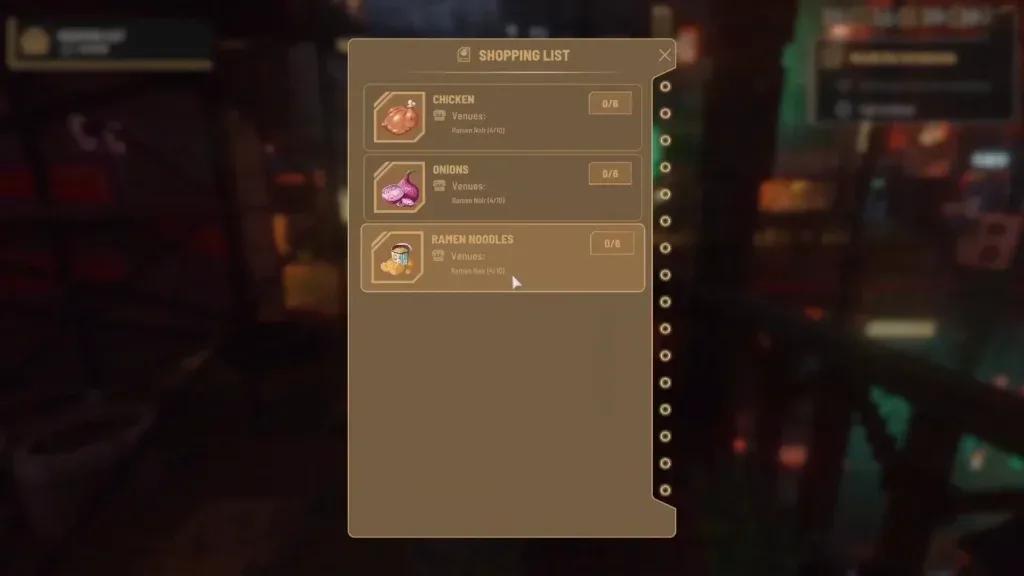
The retained screenshot shows where to read the supply interface. Use your current save's values for quantities and targets.
The game's Shopping List already describes the remaining shortage. Buy against that number without subtracting venue stock from it again. The separate menu planner starts with your chosen portions and per-serving requirements, then deducts the stock you enter once.
Read the Update 4 restocking settings
Each venue has its own Venue Management Settings and daily restocking budget. The official targets are:
Swipe horizontally to see all columns.
| Target | Recorded supply setting |
|---|---|
| Lean | 2 of each required ingredient |
| Normal | 5 of each required ingredient; default |
| Extra | 10 of each required ingredient |
| Recent Sales | Based on meals sold in the last four in-game hours, with a minimum of 2 |
These are venue supply settings. The automatic restock objective now appears when a required ingredient reaches zero. The warning trigger is separate from the amount you want held in stock.
The Shopping List reflects the selected venue targets. If a warning repeatedly returns, check the budget, the menu's inputs and whether those inputs can be purchased from vendors. A dish relying on another acquisition route needs a suitable supply plan.
Update #4 documented settings that could appear changed after loading without resetting the actual parameters. Update #5 fixes the Restock Notifications toggle display. Check the specific control and venue operation; see the Manager checks for queued orders and deliveries.
Buy the opening ingredients at the market
The documented route starts around Meridian Market's food stalls. Use the greengrocer for the listed produce or noodle offers and the butcher for chicken. The Ramen Noodles guide identifies the nearby greengrocer and the trading-window search.
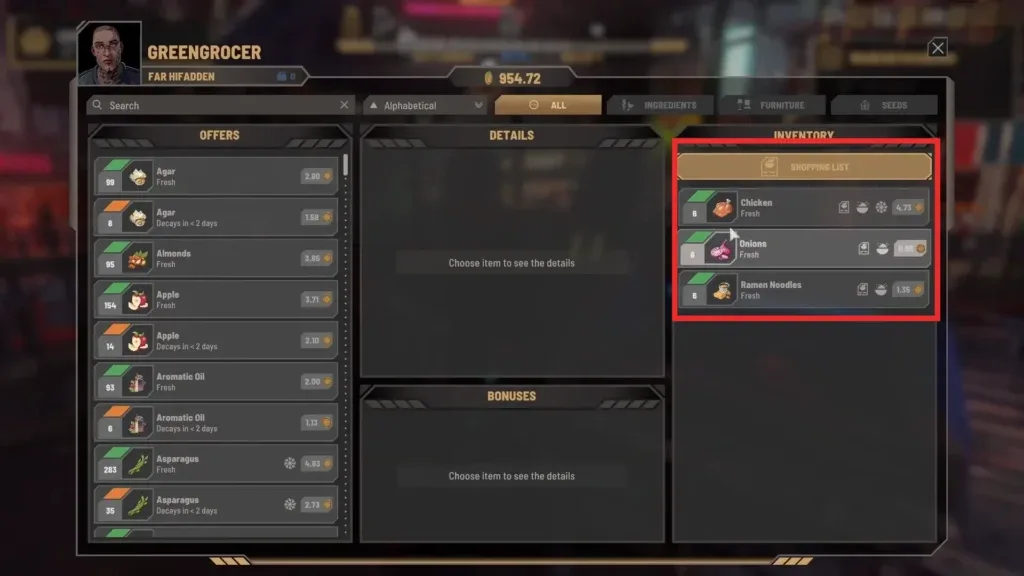
Compare the current offer with the missing quantity and freshness. The market can have changing prices, limited offers or short-dated food. A discounted stack is useful only when the restaurant can use it in time.
For a wider menu, use the planner to combine shared ingredients, then follow the linked seller records. Enter per-serving amounts from your actual recipes where the source leaves them unknown. Check the live Shopping List again before buying because customers can consume stock while you are traveling.
Put ingredients into venue storage
Open the business's inventory transfer view and move food from carried inventory into the venue. Inspect the venue side afterward. Buying a correct ingredient and leaving it in your personal inventory does not make it available to restaurant staff.
Read each food's storage cue. Cabinets and shelves, fridges and freezers provide different storage options; chicken needs refrigeration in the recorded opening sequence. Check space and suitable storage before bringing back a large order.
Update #4 cleans up stacked deliveries: items go into the venue when space is available, or into your main inventory otherwise. If an old order seems missing, check both places before repeating the purchase. The inventory and transfer windows also identify ingredients used by the current menu.
Check all the recipe requirements
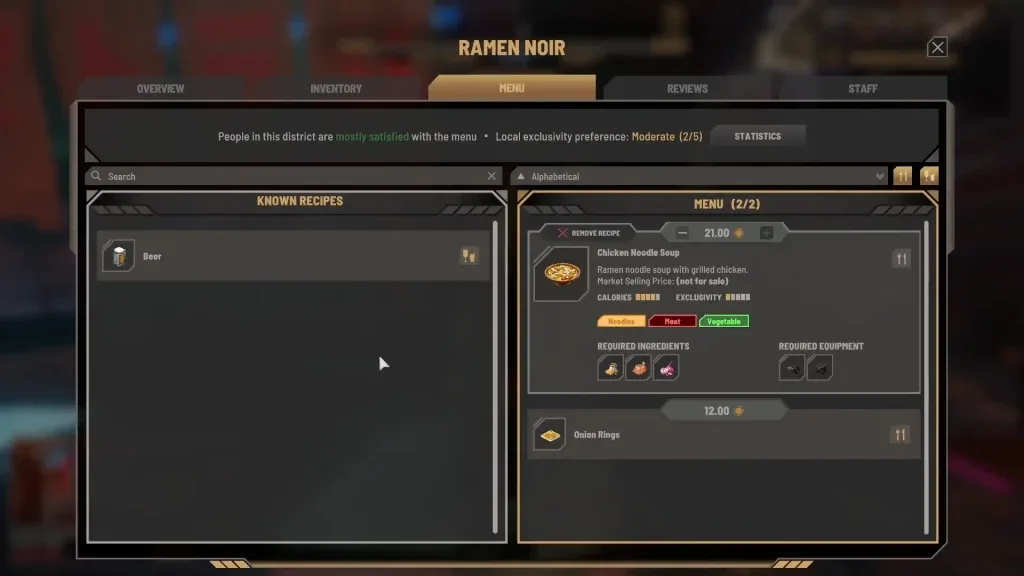
A dish needs its ingredients and its preparation equipment. Update #4 makes red missing-input icons expandable, so inspect the exact shortage rather than assuming every unavailable meal needs another grocery run.
Swipe horizontally to see all columns.
| Symptom | Next check |
|---|---|
| Purchases are missing from venue stock | Transfer them from carried inventory |
| The correct ingredient is present but the dish is unavailable | Other recipe inputs, appliance and freshness |
| A customized dish asks for new stock | The edited version currently assigned to this venue |
| Money was spent but no new shelf stock appeared | Queued Manager delivery and its stage |
| The zero-stock warning keeps returning | Venue target, budget and the ingredient's acquisition route |
| Inventory grows beyond the plan | Incoming orders, recent sales and the venue target |
Keep a daily replenishment routine
Before leaving the venue, review its active dishes, usable stock and any incoming order. At the seller, buy for that plan and inspect freshness. After transfer, check that the venue received the ingredients and can prepare the selected dishes.
During service, sales can create another shortage. A later warning does not erase an earlier completed transfer. Review how much was used before deciding that the shopping trip or Manager delivery failed.
Update #2 makes cooks use older ingredients first. Update #4 returns reserved ingredients to storage when a customer leaves before the meal is ready. Continue inspecting actual freshness: those fixes improve stock handling but do not make oversized purchases immune to spoilage.
At the end of a comparable service period, record purchases, remaining stock, spoilage and expenses. Use the menu planner to adjust the next plan, then compare the real venue result.
Sources and related next steps
Current target, budget, reservation and warning rules use official Update #4; stock rotation uses the official October 2 update. The manual opening route is documented in the noodle-bar walkthrough.
Use ingredient and seller lookup to shop, Manager diagnosis to track automated stock, and freshness checks to control waste.