
You can sleep in two types of places in Nivalis Nights: your own apartment or a public shelter. Use your apartment when you can return home safely. If curfew has begun and you are stranded in another part of the city, activate the navigation scan, look for a nearby residential-style marker, enter the shelter, and use its bed.
Your starting apartment is 404-B, sub-level 12 in Low Town. The map can take you directly to the apartment, which is usually easier than trying to retrace the street route. Public shelters are the fallback option during curfew, but the game does not provide a clearly documented, permanent list of every shelter entrance.
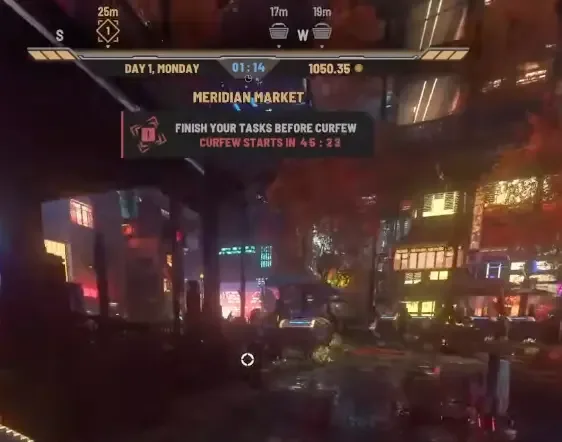
The two places where you can sleep
| Place | Best time to use it | How to find it | Important limitation |
|---|---|---|---|
| Your apartment | Before curfew, or whenever the apartment destination remains accessible | Open the map, select Low Town, and choose the apartment destination associated with 404-B, sub-level 12 | The street entrance can be difficult to recognize if you travel there without using the map |
| Public shelter | When curfew has started and returning home is inconvenient or unsafe | Use the navigation scan and check nearby residential-style markers and unlocked doors | A complete shelter list and exact marker appearance are not clearly established |
Both options lead to a usable bed. Sleeping advances the day into the daily results and finance sequence. Because the game autosaves at the end of each day, completing the sleep sequence also reaches the normal end-of-day autosave point. Manual saving remains available from the Pause Menu if you want to secure your current progress before choosing where to sleep.
Returning to the starting apartment
The simplest answer to where to sleep is your starting apartment. Its listed address is 404-B, sub-level 12, and it is located in Low Town. The apartment contains a bed and is the normal destination for ending the first day.
Use the map instead of relying on memory of the streets:
- Open the in-game map.
- Select the Low Town district or its home-related station.
- Look for the additional apartment destination rather than selecting only the district street arrival point.
- Choose the apartment entry associated with 404-B, sub-level 12.
- Once inside, approach the bed and activate the sleep interaction.
On the PC interface, the apartment may appear as an additional choice attached to the Low Town destination. If selecting the district only leaves you outside, reopen the destination options and look for the apartment-specific entry. The distinction between the street arrival point and the apartment itself is important: arriving in Low Town does not automatically place you inside your home.
If you approach the apartment from the street, the route is less obvious. One described route begins from the taxi arrival area near the noodle shop, continues through the right-hand alley, and uses the stairs farther along that passage. This is less reliable than selecting the apartment directly on the map because street orientation can change depending on where the taxi or district travel point leaves you. Treat map travel as the primary method and the alley route as a fallback.
Sleeping at the apartment
Once you reach the apartment, use the bed rather than waiting inside the room. Simply being indoors does not clearly establish that the day will finish on its own. The first-day sequence directs you to go to sleep, and using the bed moves the game into its daily business results and finance screens.
A safe end-of-day routine is:
- Finish any interaction or task that you do not want to leave incomplete.
- Open the Pause Menu and make a manual save if you want a checkpoint before ending the day.
- Return to the apartment through the map.
- Walk to the bed and select the sleep interaction.
- Continue through the daily results and financial choices shown after sleeping.
- Wait until the next day has started before assuming the end-of-day sequence is complete.
The exact interaction wording can vary with the current objective or interface state, so the important action is to use the bed. Furniture elsewhere in the apartment is not a substitute for the sleep interaction.
Finding a public shelter during curfew
Public shelters exist for nights when you cannot make it back to your apartment. The game describes them as places around the city where you can hide and sleep when returning home is not practical. They are especially relevant after curfew begins and security cameras or drones make continued travel risky.
Use this workflow when you are stranded:
- Activate the navigation or environment scan. On the current PC controls described for the launch build, this is associated with C.
- Check the compass and nearby HUD markers for an additional home or residential-style symbol.
- Move toward the nearby marker instead of continuing across districts toward Low Town.
- Inspect marked doors that resemble apartment or rental entrances.
- Try the unlocked entrance connected to the marker.
- Locate the bed inside and activate it to sleep through the night.
The scan matters because shelter doors may not be visually obvious from the street. A plain door can look like part of the surrounding buildings until the relevant marker appears. If pressing C does not match your current control setup, check the game’s control bindings for the navigation, scanner, or HUD-ping action rather than trying unrelated keys.
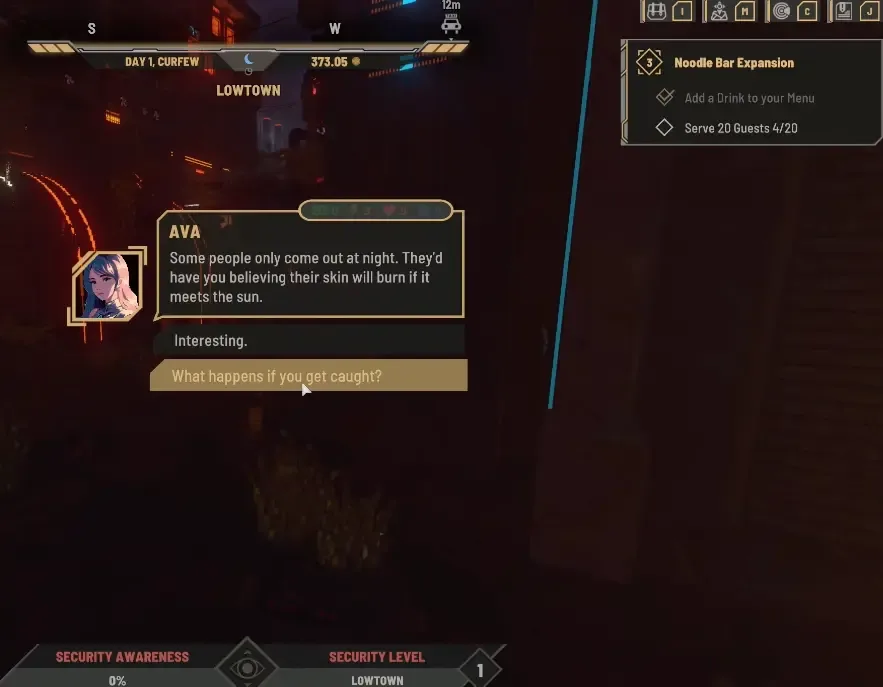
A first-curfew objective may also point toward a shelter. Do not depend entirely on that objective marker, however. A crowded quest display can make it easy to miss, and the prompt may no longer be visible if the sequence began while you were already inside your apartment. The navigation scan provides a more practical fallback when no shelter quest is currently tracked.
A reported shelter area in Meridian Market
The clearest available location description places a shelter in the Meridian Market area. Look near the taxis and the hardware and furniture shop by the bridge. The relevant doorway has also been described as being close to the Food Mood sign.
Use those details as landmarks rather than as exact coordinates:
- Reach the taxi area in Meridian Market.
- Find the hardware and furniture shop near the bridge.
- Activate the navigation scan with the configured scan control.
- Look for a nearby home-like marker, reportedly a short distance from the shop and near the Food Mood sign.
- Test the marked, unlocked doorway.
- Enter and use the bed if the interior is a public shelter.
The entrance may resemble an apartment that could normally be rented, but a shelter should allow entry and provide a usable bed. Do not assume that every residential door or every place where an NPC sleeps is a public shelter. The reliable checks are the active navigation marker, an unlocked entrance, and a bed that offers the sleep interaction.
Recognizing a shelter entrance
Shelters are easy to overlook because they are integrated into ordinary city buildings. When searching, use several clues together instead of relying on one visual detail:
- A home-like or residential marker appears after the navigation scan.
- The marker leads to a specific door rather than a general street area.
- The door is unlocked during the curfew situation.
- The interior contains a bed that can be used to sleep.
- The location is close enough to serve as a local refuge rather than requiring a long cross-city trip.
The available information does not establish one universal sign, color, or exterior design for every shelter. Shelter doors may also be harder to identify during the day, when the curfew-related marker is not guiding you toward them. If you notice a possible entrance while exploring, do not treat it as confirmed until the game exposes the relevant marker or permits you to enter and use the bed.
Claims that every map or district has a shelter are not firm enough to use as a guaranteed rule. Shelters are described as existing across the city, but that does not provide a verified district-by-district directory. If no marker appears nearby, widen the scan area gradually or use the apartment map destination if it is still available.
Choosing between home and a shelter
The decision depends mainly on your location and the current curfew state.
Choose your apartment when:
- You can open the map and select the apartment destination directly.
- You are already in Low Town or close to home.
- Curfew has not made the return route inconvenient.
- You want the most clearly identified and repeatable sleep location.
Choose a public shelter when:
- Curfew has started while you are working or exploring away from Low Town.
- The game directs you to find a shelter.
- A nearby shelter marker appears after using the navigation scan.
- Returning home would require unnecessary travel through monitored streets.
You do not need to restart the day merely because curfew began while you were away from the apartment. The shelter system exists to give you a local place to end the night. The main challenge is identifying the correct marker and door.
Fixing common sleep-location problems
The map takes you to Low Town but not inside the apartment
You probably selected the district or street destination instead of the apartment-specific option. Reopen the Low Town destination and check for the additional entry tied to 404-B, sub-level 12. Select that option before attempting the street route.
The apartment entrance is hard to find from the taxi
Use the direct apartment map destination first. If you remain outside, check the right-hand alley and stairs from the taxi arrival area near the noodle shop. Avoid wandering far from the arrival point until you have checked whether the map offers the apartment as a separate destination.
Curfew started and no shelter quest appeared
Activate the navigation scan manually and inspect the compass or HUD for a home-like marker. The shelter objective can be missed among other tracked quests, and its absence does not prove that no refuge is nearby.
The shelter door is not obvious
Move closer to the marker and inspect residential-looking doors. The entrance may resemble a rentable apartment rather than a purpose-built emergency shelter. Confirm it by checking whether the door opens and whether the interior contains a usable bed.
Pressing C does not reveal anything
Check whether C is still assigned to the navigation or scan function in your control settings. If the binding is correct, reposition yourself and scan again while facing nearby streets. Do not infer a shelter location solely from an NPC entering a building.
You are inside a possible shelter but cannot sleep
Confirm that the building contains an interactable bed and that you entered the door identified by the current marker. If no bed interaction appears, leave and check the marker again; you may have entered an ordinary accessible interior rather than the refuge it was indicating.
Sleep-location limitations in the launch build
A complete catalog of shelter addresses is not available here, and the current information is not strong enough to publish one without guessing. The Meridian Market landmarks provide a practical starting point, while the navigation scan remains the intended way to find a refuge near your current position.
The exact visual design of every shelter marker is also unclear. It is safer to describe it as a home-like or residential symbol than to promise one fixed icon in every interface state. Control bindings may change if you remap them, so C should be treated as the described PC scan input, not as an unchangeable rule.
For a dependable night routine, remember three facts: your starting home is 404-B, sub-level 12 in Low Town; the map can expose an apartment-specific travel option; and public shelters provide usable beds when curfew catches you elsewhere. Start with the apartment when it is easy to reach, then switch to the scan-and-shelter workflow when returning home is no longer the sensible route.