
Reduce food spoiling in Nivalis Nights by checking freshness before purchasing, using suitable storage, and buying an amount the venue can use. The ingredient database shows recorded shelf-life and refrigeration fields where the community source supplies them. The remaining time on your current stack is the practical check before service.
Native stock rotation changed in Update #2: cooks now use older ingredients first. The old FIFO mod's author marks it obsolete. Update #4 adds venue stock targets and daily budgets, and returns reserved ingredients when guests leave before their meal is ready. Use those current rules when investigating waste.
Inspect usable stock before planning a purchase
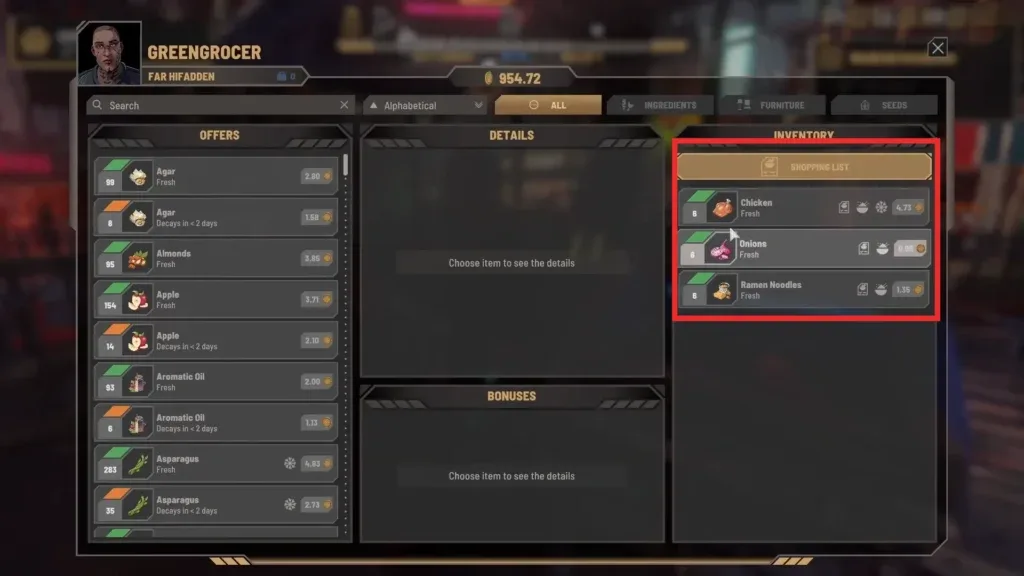
Read the condition and remaining time for each relevant stack. Recorded shelf life is a reference for the ingredient, while the stack in your save may already have aged. Check whether it needs refrigeration and whether the venue has enough suitable storage.
Swipe horizontally to see all columns.
| Situation | Useful action |
|---|---|
| Food is usable but near decay | Plan service that uses it soon, or reduce the next purchase |
| The food is still carried | Transfer it into the right venue storage |
| The recipe needs a different input | Check the active customized recipe before buying |
| Storage is full | Separate usable menu stock from surplus and spoiled items |
| Stock is already ordered | Check its arrival before manually buying a duplicate |
| The source has no shelf-life field | Read the current item details before choosing a large buffer |
Buy against the menu's actual requirements
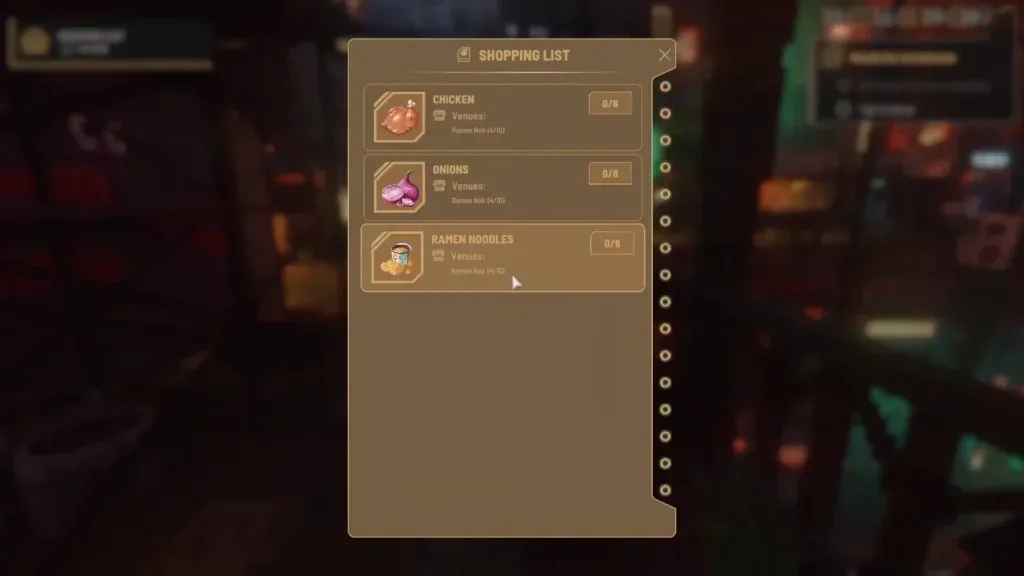
Open the menu planner and select the dishes you intend to serve. Enter the per-serving amounts shown in your game, the portions you want to plan, and usable stock already held. The resulting shopping list identifies the remaining purchase rather than assuming every ingredient needs a full new stack.
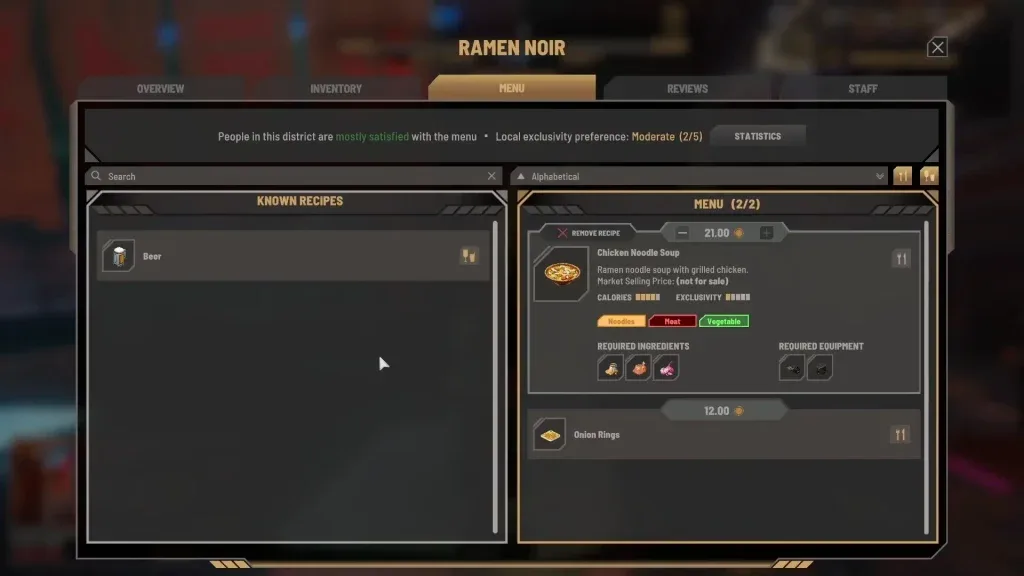
A dish requiring one unusual ingredient can increase waste when the rest of the menu never uses it. Compare recipes that share inputs, then inspect the combined quantity and acquisition routes. Menu size alone does not establish the cause of spoilage; the practical issue is which inputs the venue will actually use.
At the vendor, compare a cheap short-dated stack with a fresher offer. If planned service cannot use the discounted food before it spoils, include the wasted amount when evaluating the deal. A community average price cannot establish the best offer in your current save.
Use appropriate storage and review rotation
After shopping, place relevant food in the venue's suitable storage. Follow the item-specific refrigeration or freezing cue rather than assigning all food to one container. Refrigeration can extend usable life; excess still needs demand before it ages.
Update #2's older-first change makes launch-era newer-first reports historical. If you observe unexpected rotation on a current version, record the stacks' freshness, storage and active recipe, then compare the actual before-and-after amounts. Identify the game and active mods before attributing the behavior to an old bug.
The FIFO plugin is no longer a routine recommendation for current native rotation. Use the mod directory to inspect an author's current status and compatibility when troubleshooting a modified setup.
Limit surplus from automated replenishment
Review each venue's Lean 2, Normal 5, Extra 10 or Recent Sales target and its daily restocking budget. Recent Sales follows the last four in-game hours with a minimum of two. Match the choice to the venue's observed demand and inspect its actual stock after service.
Queued deliveries are separate from shelf stock. Before manually buying another buffer, check whether the Manager already ordered the same input. Update #4's stacked-delivery cleanup can put items in personal inventory when the venue is full, so inspect that inventory too.
The menu and transfer windows indicate ingredients currently used by your dishes. Clear unwanted stock deliberately rather than treating every stored item as part of the next menu. For persistent shortages or unexplained spending, follow the Manager diagnosis.
Distinguish spoilage from a lost reservation
Update #4 fixes ingredients disappearing when they were reserved for an order and the customer left before completion. Those inputs now return to storage, with existing saves receiving the correction. A decrease in stock before an update may therefore have involved reservation loss as well as genuine decay.
Record what happened over the same observation period: starting inventory, purchases, completed meals, returned reservations and spoiled items. A single lower shelf count cannot measure all those events. Keep the ingredient-specific shortage tied to the relevant recipe.
Handle food that has already spoiled
Launch player reports describe selling spoiled items to vendors, with conflicting reports about the return. Inspect the current trade offer before planning any recovery value. The immediate benefit can be clearing space for usable stock.
Players also describe later composting. Exact conversion amounts and universal unlock conditions are not established here. Keep only the spoiled stock you have a recorded use and space for, then follow the available in-game interaction.
Diagnose the next supply cycle
Swipe horizontally to see all columns.
| Problem | Record and adjust |
|---|---|
| Chilled food ages before service | Remaining life, purchase amount and actual use |
| Only one menu ingredient becomes surplus | Dishes using it, target level and incoming deliveries |
| Harvests exceed the menu's requirement | Planned crop output and destination |
| A current modded setup consumes unexpected stacks | Game version, plugins, stack condition and reproduction |
| Food appears lost when a guest leaves | Current update and reservation-return behavior |
Continue with ingredient records for shelf-life fields, menu planning for combined demand, and greenhouse supply for the appropriate harvest route.
Source notes and next steps
The current stock-handling changes come from official Update #2 and official Update #4. Source-recorded ingredient values have their own links and dates. Screenshots illustrate the recorded interface; this guide has not measured every ingredient's decay in current gameplay.