
Player photo of the Industrial District landmark
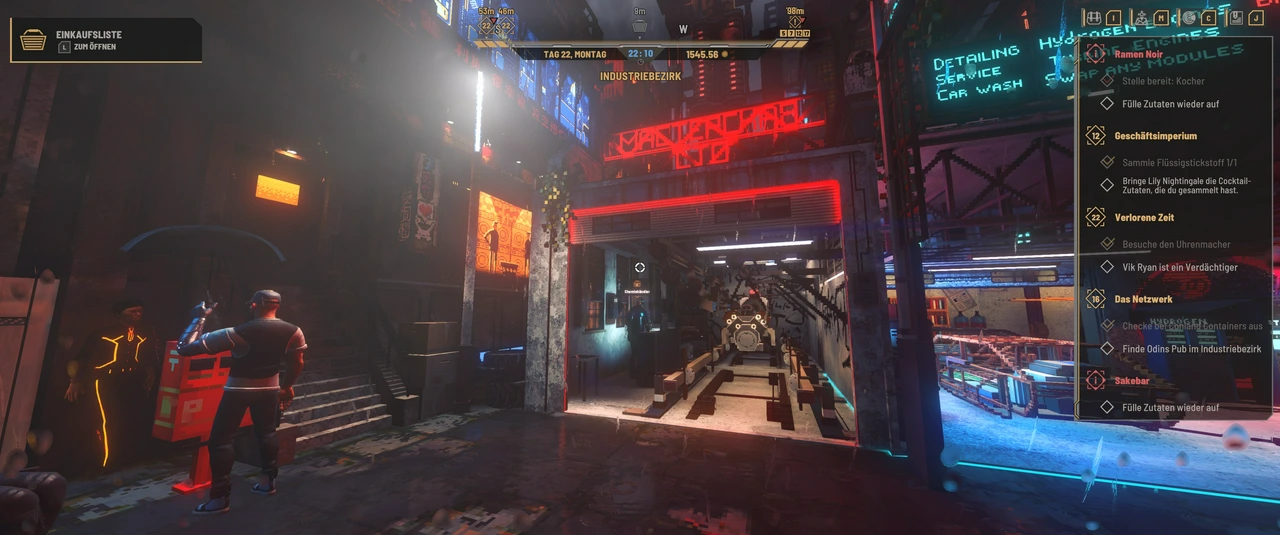
This player-posted route photo, linked in the original location discussion, shows the Industrial District alley: red neon above the passage and the chemistry merchant beside the small counter on the left. The German quest panel also shows a liquid nitrogen collection objective. Use it to recognize the location; it does not show the trade inventory, current stock, price or where that player's collected item was obtained. Image credit: the original player post; game imagery belongs to its rights holders. This is a community reference, not a screenshot of a test by this website.
Look for a Chemistry Vendor in the Industrial District to buy liquid nitrogen in Nivalis Nights. Players also report a Chemistry Vendor on the Oil Rig, where a separate player confirmed that the location answer solved their search. These are community-reported sellers: check the vendor's actual label and current trade inventory before making a special trip or buying a large quantity.
The Industrial District has the more detailed reported street description. Look for a narrow alley with a large red neon sign above the passage, a vendor on the left beside a small counter, and graffiti on the right-hand wall. This description helps identify the seller; it does not establish guaranteed stock, an exact price, or a quest-specific purchase amount.
Choose a reported seller
Swipe horizontally to see all columns.
| Area | Seller to look for | Location clue | What to confirm yourself |
|---|---|---|---|
| Industrial District | Chemistry Vendor | Narrow alley, red neon above the passage, small counter on the left, graffiti on the right | Vendor label and liquid nitrogen in the current offers |
| Oil Rig | Chemistry Vendor | A player describes the southwest side, around the middle | Your current access to the area, the seller, and available stock |
Start with an area you can already reach. A second reported seller gives you another place to check; it does not mean both traders carry identical quantities or prices. Neither report establishes which route is quickest from your current location.
Find the Industrial District Chemistry Vendor
The reported landmarks are more useful than searching every ordinary food counter. In the Industrial District, inspect narrow passages for the red neon sign and the small counter. Move close enough to identify the vendor label, then make sure it says Chemistry Vendor before inspecting the offers.
Another player describes the route from fast travel as the end of the right-hand fork, near a car shop. Treat this as an orientation hint tied to that player's arrival and viewpoint. If you arrive from a different direction, “right” may not identify the same turn. Use the sign, counter, graffiti, and vendor label together instead of following a relative direction indefinitely.
- Reach the Industrial District through a route available in your save.
- Look for the reported alley landmarks.
- Check the nearby merchant's displayed identity.
- Open that vendor's trade inventory and look for Liquid Nitrogen by its exact name.
- Confirm the displayed quantity and purchase cost before completing the transaction.
The success check is the item in the merchant's offers and then in your inventory. Finding an alley with similar lighting is only a route clue.
Check the Oil Rig alternative
Players independently identify a Chemistry Vendor on the Oil Rig as another source. One report places the merchant on the southwest side, around the middle, and the person who asked where to find liquid nitrogen replied that the answer resolved the question.
If you can already visit the Oil Rig, that is a practical alternative to searching the Industrial District. Confirm the merchant's identity and current offers there as well. The reports do not establish a district-access requirement, a boat requirement, or a particular progression level for this shopping trip. Follow the travel options and restrictions shown in your own save.
Inspect the trade window before buying
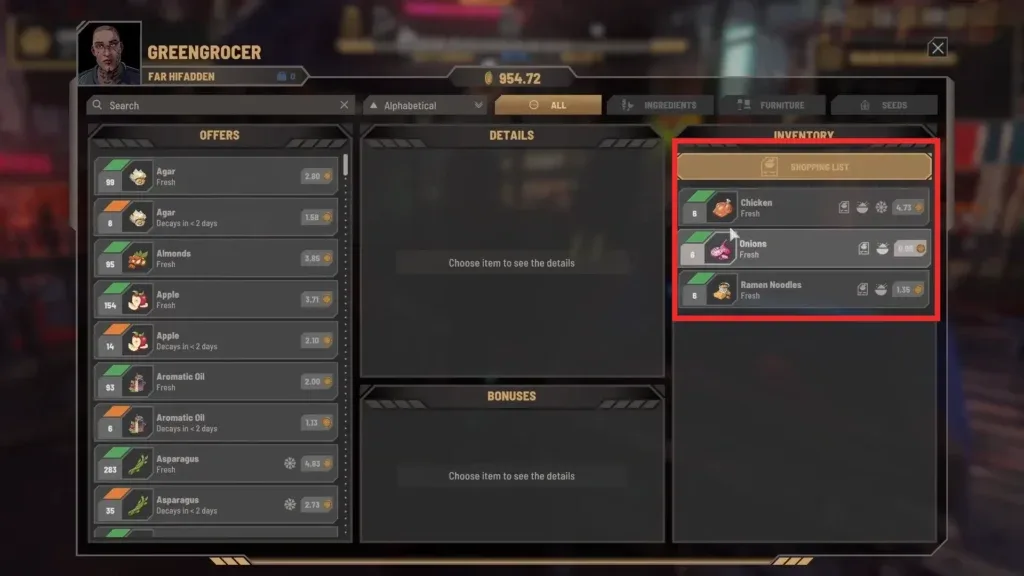
The image above shows a Greengrocer trade interface, with an offer list and a search field. It illustrates the shopping interface only; it does not show liquid nitrogen, the Chemistry Vendor, or the Industrial District alley.
At the Chemistry Vendor, inspect the actual offers rather than assuming a familiar food retailer is the right supplier. If the merchant's interface offers a search field, use the item name to narrow the list. If a category filter is active, check whether it is hiding relevant offers.
Buy against the quantity requested by your current task or recipe, if one is shown. This guide does not establish a liquid-nitrogen recipe list, a required quest amount, or a universal purchase price. A total copied from another player's save would not answer what your current objective requires.
If you still cannot find it
Swipe horizontally to see all columns.
| Problem | Useful next check |
|---|---|
| You found a retailer but no chemical item | Check the seller label; the reported source is a Chemistry Vendor |
| The right-hand fork description does not match your arrival | Use the alley landmarks rather than assuming a fixed camera direction |
| You reached the seller but the item is absent | Inspect current offers and filters, then consider the other reported seller if accessible |
| The district is unavailable | Read the travel restriction in your save before planning a different shopping route |
| You need a specific quantity | Read the active task or recipe requirement before buying |
No fixed stock-refresh schedule has been established here. Repeatedly waiting a presumed number of days is not a verified solution to a missing offer.
Open the original route reports
- Industrial District seller report and alley landmarks
- Player’s alley photo referenced in that discussion
- Oil Rig seller discussion with the requester’s confirmation
For broader shopping and travel rules, use the ingredient guide and fast travel guide.
Sources and related next steps
Editorial provenance reviewed October 5, 2026. The retained instructions use their recorded launch-era snapshot; this source review is not a new playthrough or a guarantee for every patched save. Check source dates and the current interface where behavior differs.
- Player discussion — reported behavior, not a universal rule
- Player discussion — reported behavior, not a universal rule
- Player-linked route album — external evidence, not an independently verified route
For the Journal vendor-search workflow, use the the Journal vendor-search workflow guide. If your next task involves travel access checks, continue with the travel access checks guide.